AutoMold3DMold Studio
Free · works in your browser · no installation

Turn STL Files Into 3D-Printable Molds

Upload STL, OBJ, 3MF, GLB, GLTF, or FBX; choose the mold type for your job and download parts ready for your slicer.

Explore mold types ↓
WHAT DO YOU WANT TO MAKE?

Choose a mold type

Each card opens the studio with the right settings.

6 working generators
FROM A LARGE MODEL TO A SMALLER PRINTER

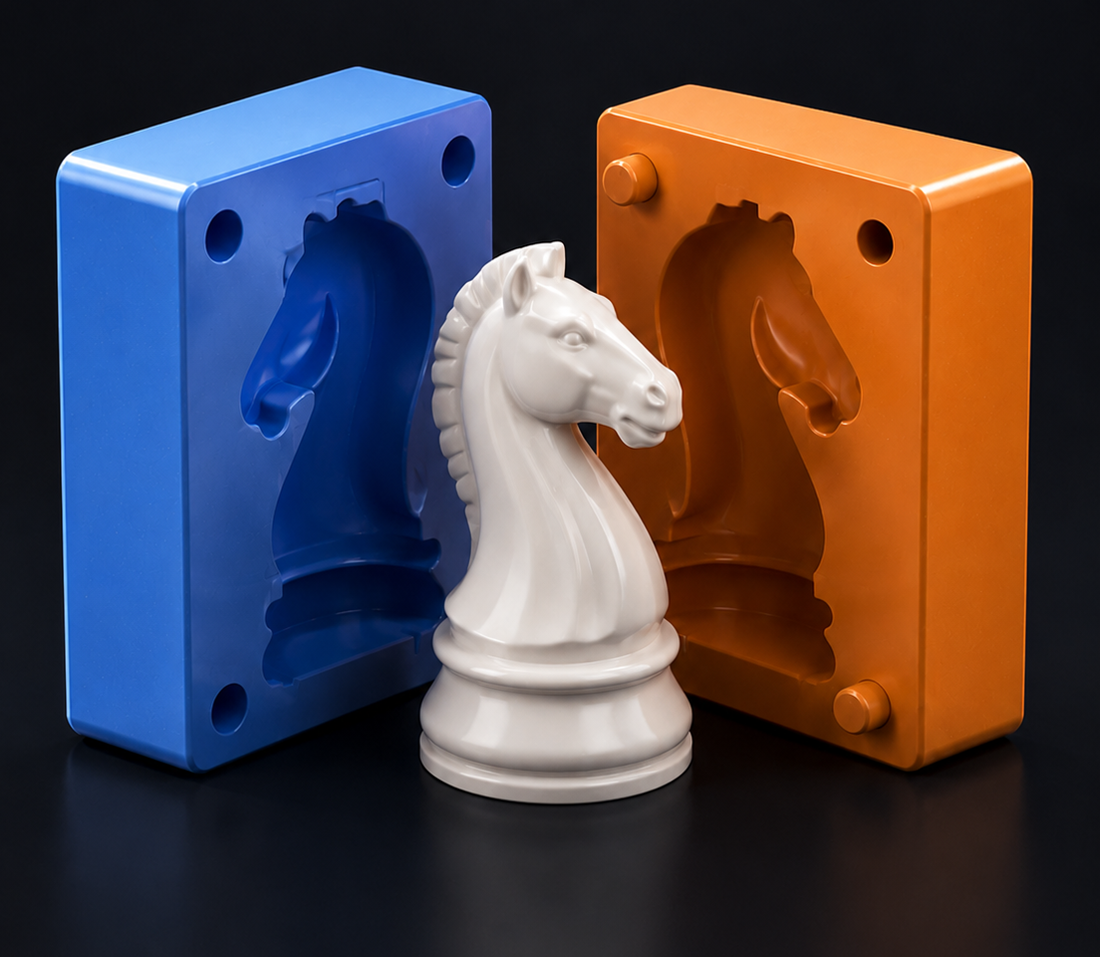
Split a large mold automatically for your printer.

Accepts your own mold STLs. It splits every body to the printer volume you choose and adds matching pins, sockets, and sealing channels.

Explore the mold splitting page →
  • 01 Upload model
  • 02 Choose mold and printer
  • 03 Download split STLs
3D MODEL SPLITTER

Split a large model into interlocking parts.

Splits a model to your printer volume without creating a mold. It adds opposite male/female channels and tolerance-fit registration pins to new cut faces.

Explore the STL splitting page →
  • 01 Upload model
  • 02 Enter printer dimensions
  • 03 Download interlocking parts
CUSTOM PROJECT SUPPORT

Within 24 hours
get the best price.

Tell us about work beyond the ready-made tools. Bundle files and reference images for 3D model design, scanned-mesh repair, or a custom mold in one request.

01
Describe your needChoose one or more services.
02
Add filesModel and reference images are optional.
03
Choose your contact channelReceive your quote through your preferred channel.
24h
Tell us about your projectPrepare all quote details in one step
What do you need help with?
The more detail you provide, the faster and more accurate the quote will be.
How would you like to receive your quote?
We will contact you only through this number when the quote is ready.
HOW IT WORKS
01

Upload your model

Drop your STL, OBJ, 3MF, GLB/GLTF, or FBX file; use repair for damaged meshes.

02

Choose your mold type

Set the part count, channels, and print bed.

03

Download STL files

Inspect the opened mold, then download every part.

FREQUENTLY ASKED QUESTIONS

What you need to know before starting.

Short answers about AutoMold3D workflows, file privacy, and the printing process.

01Does AutoMold3D run in the browser?+

Yes. Mold generation, mesh repair, and STL export run with your device’s processing power in compatible browsers.

02Which files can I upload?+

Use STL, OBJ, 3MF, GLB, GLTF, and FBX in the mold, optimization, and splitting tools. This version has no in-browser STEP/STP converter; export to a mesh format first. The custom quote area also accepts images and production files.

03Do my files stay private?+

For locally running production tools, your model never leaves your device. Custom quote files are sent only with your explicit approval when the communication integration is configured.

04What output will I receive?+

Depending on the tool, you receive separate STL parts or a ZIP package containing all parts; files can go directly to your slicer.

05Which 3D printer is suitable?+

Any FDM or resin printer whose dimensions fit the work area can be used. Enter your printer’s real X, Y, and Z dimensions in the bed settings.

06What should I do if my model is damaged?+

Use topology repair and simplification in Optimize, approve the result in the 3D preview, then transfer it to the mold studio.

READY TO MAKE?

Your next design is
one mold away.

Upload your model, choose a production method, and create print-ready parts on your device.

🔧 STL OPTIMIZE & REPAIR

Your model: repair, simplify,
make it print-ready.

Analyze STL, OBJ, 3MF, GLB, GLTF, or FBX on your device; repair open edges, reduce unnecessary triangles, and produce a clean STL.

✓ Print-ready binary STL
◈
Live 3D comparisonLeft: original · Right: optimized model
LIVE COMPARISON
Your model appears here after upload.
ORIGINAL
● Original● OptimizeLeft drag: rotate · right drag: pan · wheel: zoom
✦
Upload your modelSTL, OBJ, 3MF, GLB, GLTF, FBX · file stays on your device
⚙
Optimization settingsPrepare for printing while preserving the shape
1
UploadYour mesh model opens only in the browser.
2
DiagnoseOpen and non-manifold edges and topology are inspected.
3
Repair and downloadManifold repair and simplification are applied where safe.
LARGE MOLD SPLITTER

Every mold fit your printer.

Create a mold from a model or upload a finished mold; split every body to the print volume with real CSG and add male/female connections to joining faces automatically.

1 File→2 Geometry→3 Assembly→4 STL
◇
Live 3D part inspectionYour model will appear here after upload
No model yetStart by uploading STL, OBJ, 3MF, GLB, GLTF, or FBX.
Upload a model